LuckyPants
  • Home
  • Poems
  • Python
    • Python Interview Prep Notes for Students >
      • Merge Intervals Leetcode
      • Merge k Sorted Lists
    • Python Setup >
      • Pep 8 style guide
    • Lecture 1 - Basics
    • Lecture 2 - Loops, Lists >
      • Homework 2 Program 1 Step By Step
      • Homweork 2 Shuffle String Program
    • Lecture 3 - structures, packing, string functions >
      • Homework
      • Additional Exercises - you do not need to submit these
    • Lecture 4 - Dictionaries, Functions, Modules
    • Lecture 5 - functions, variable scope, modules >
      • Previous Exams
    • Lecture 6 - CLI, Files, Regex, pickle, shelve
    • Lecture 7 - capturing web content >
      • Processing XML data
    • Midterm Prep >
      • Programming assignment prep
    • Lecture 8 - Exceptions, Classes, Inheritance >
      • Exceptions Recording
      • Multiple Except Clauses Recording
      • Eating an Exception Recording
      • finally and else clause recordings
      • Exception Stack Trace Recording
      • exit() and CTRL+C
      • Class Variables Recording
      • Static Methods and Class Methods Recording
      • Inheritance Recordings
    • Section 9 - db, flask, pip >
      • Accessing Databases
      • HTTP Server
      • Web Applications
      • Finding and installing additional Libraries with pip
      • Web Services with Flask
      • Calling Web Services from Python
      • Placing your application on the web
    • Section 10 - flask, grpc, venv, docker >
      • Flask based Web Applications
      • gRPC
      • Packaging, Dependencies and Virtual Environments
      • Dockerized Python Application
    • Section 11 - Django, GUI >
      • Cross Site Scripting XSS and markupsafe
      • Django >
        • Cross Site Request Forgery CSRF
      • tkinter - frame and button
      • Toplevel
      • Frame
      • Mouse and Keyboard Events
      • Canvas
      • Menu
      • Radiobuttons and Checkboxes
      • Entry
      • ImageMagic
    • Lecture 12 - WebSockets, System Monitoring, PyGame >
      • Web Sockets
      • PyGame Platformer
    • Lecture 13 - Data Structure and Algorithms >
      • Arrays and Strings
      • Dictionaries
      • Linked Lists
      • Trees
      • Stack and Queue
      • Sets
      • Merge Sort
      • Coverage Reports
    • Lecture 14 - Subprocesses, Threads, Multiprocessing >
      • Graphs
      • Singleton Design Pattern
      • Subprocesses and Multithreading
      • Jupiter Notebooks
      • Pandas Operations
    • Extra >
      • Raspberry Pi
      • Raspberry PI home security
      • OpenCV and template matching
      • Compare SQLite DB's in Python
      • Natural Language Processing and nltk
      • Hackathon Projects
  • SaaS
    • Java Interview Prep Notes for Students
    • Setup >
      • SaaS and Cloud Computing
      • Eclipse set up
      • Building web application in Eclipse using Tomcat
    • Section2 >
      • Maven Intro
      • Set up a simple web app and deploy on Heroku
      • Add Jersey Dependencies
      • Dissecting our first REST service
    • Section3 >
      • Jackson intro
      • @POST, @PUT, @DELETE
      • Your Project
    • Section4 >
      • Rules of Injection
      • Root Resource, Subresource, Subresource Locator
      • @CONTEXT
    • Section 5 >
      • Heroku, Java, Jersey and Postgres
      • Music Store with Postgres
      • Working with Files
      • Storing files in Postgres
      • Homework
    • Section 6 >
      • Books Store with Mongo
      • Google APIs
      • Twitter APIs
      • Properties for a web application
      • Homework
    • Section 7 >
      • Jersey Client Famework
      • Java Jersey SalesForce and OAuth
      • Servlets and JSP
      • Data access examples
    • Section 8 >
      • MVC - Model View Controller
      • JSTL Core tags
      • Scopes
      • Building Services to work with forms
    • Section 9 >
      • Calling REST services with JQuery
      • Angular.js
    • Section 10 >
      • consuming SOAP services
      • Web Sockets
      • Websockets, continued
    • Section 11 - Software Development Methodologies, Testing, Performance and Security >
      • Software Development Methodologies
      • Testing, Performance and Security
    • Your Project
    • Previous Projects
    • Course Project Submission
    • SaaS Projects
    • Install Tomcat on Mac

Flask based web applications

We will build a student attendance app. Student will have to come to this app enter their name and the app will record their name, IP address and the time they submitted the form

We will not worry about cases such as:
  • Same user submitting the form multiple times
  • Students submitting the form for others (although we have the IP address ;-) 

First we need the DB to store all the students
We will use the SQLite
import sqlite3

conn = sqlite3.connect("students.sqlite") 
cursor = conn.cursor() 
cursor.execute("create table students (name text, ip text, submitted datetime)") 
conn.commit() 
conn.close() 

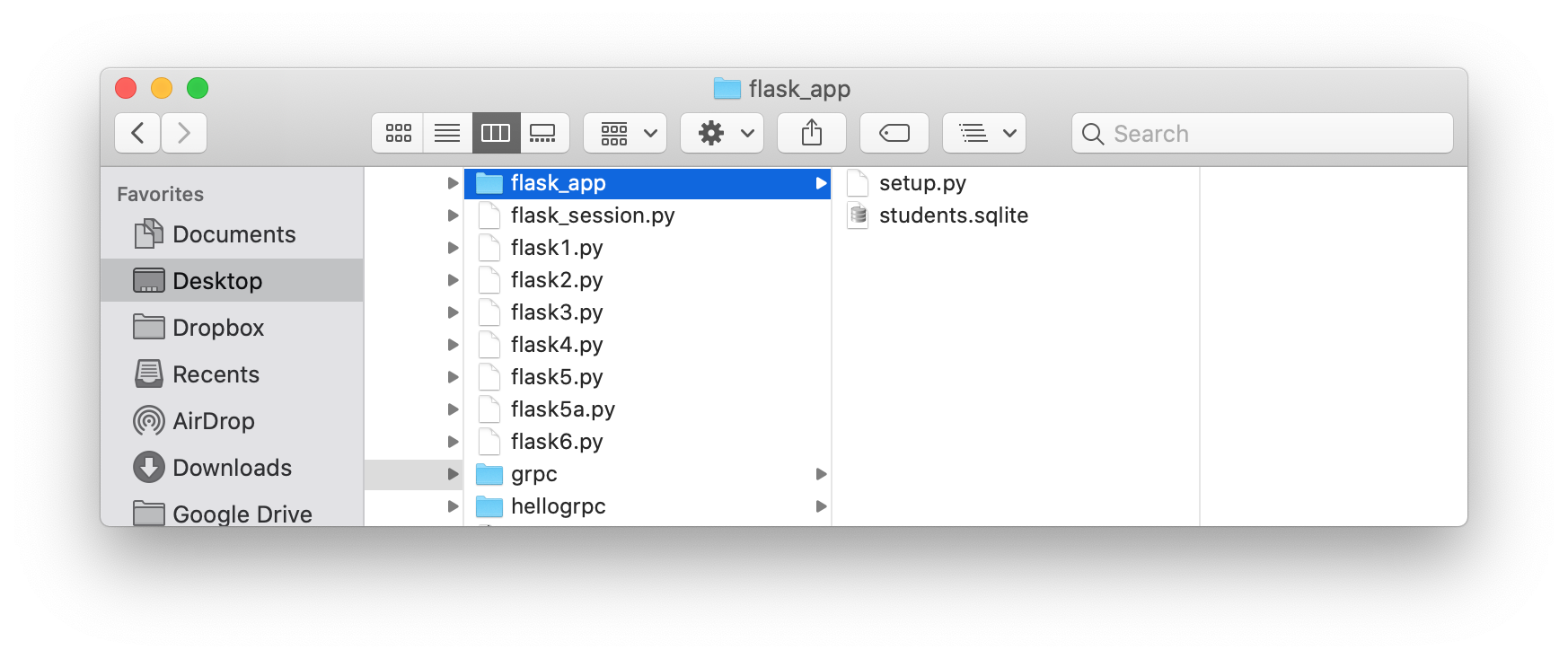
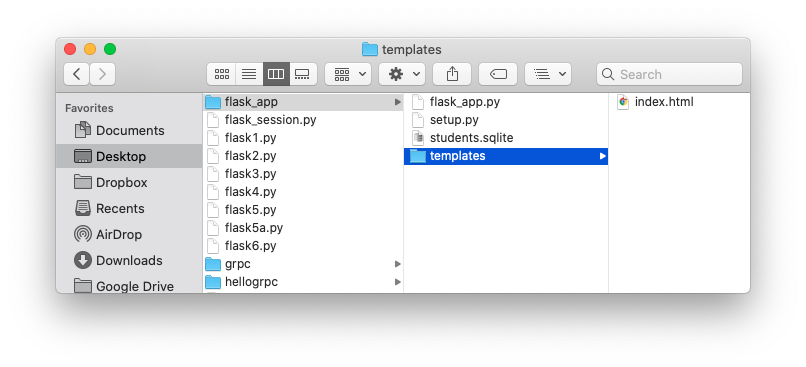
Run it, and this is what my directory looks like right now:
Picture
Now, we will create the student submit form in Flask

​index.html template:
<title>Attendance Sheet</title>
{% if name %}
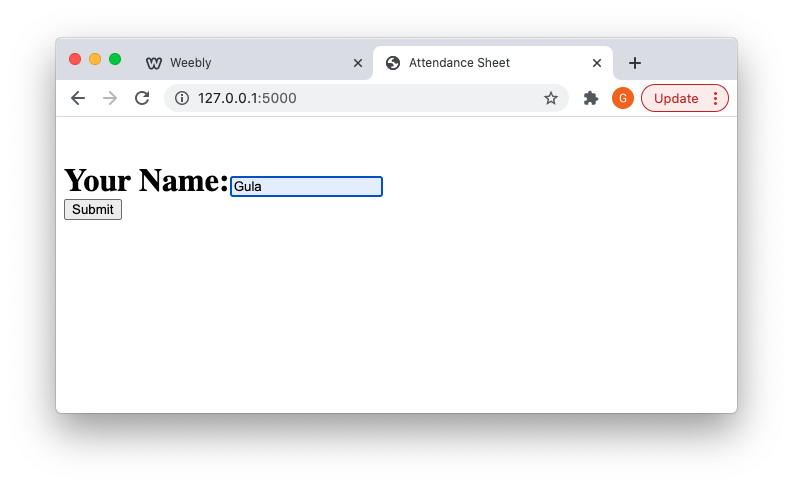
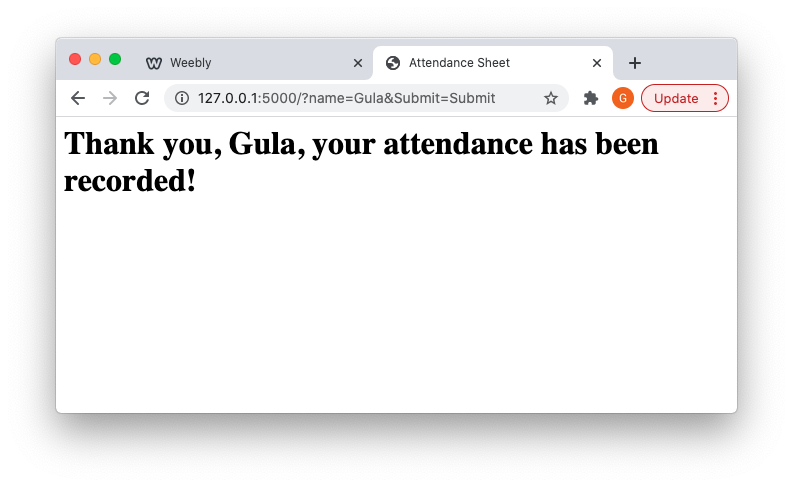
  <h1>Thank you, {{ name }}, your attendance has been recorded!</h1>
{% else %}
  <h1>
  	<br/>
  	<form>
  	Your Name:<input type="text" name = "name">
  	<br>
  	<input type='submit' name='Submit' >
  </form>
  </h1>
{% endif %}

Flask app flask_app.py:
​
from flask import Flask,request, abort
from flask import render_template

app=Flask(__name__)

@app.route('/')
def attendance():
    name = request.args.get('name', '')
    return render_template('index.html', name=name)

app.run(debug = True)
Picture
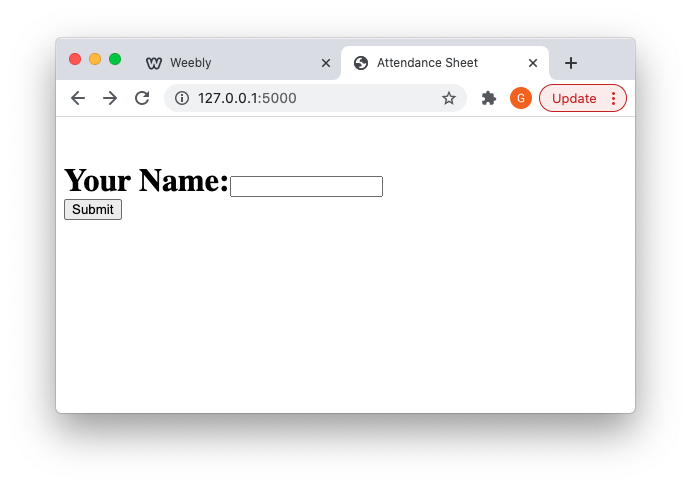
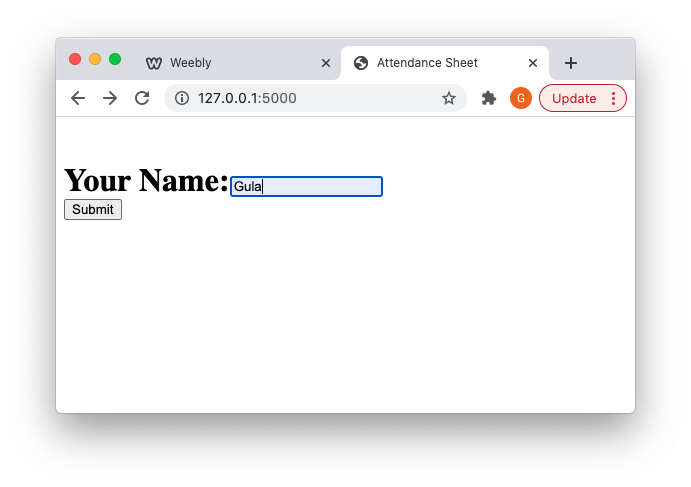
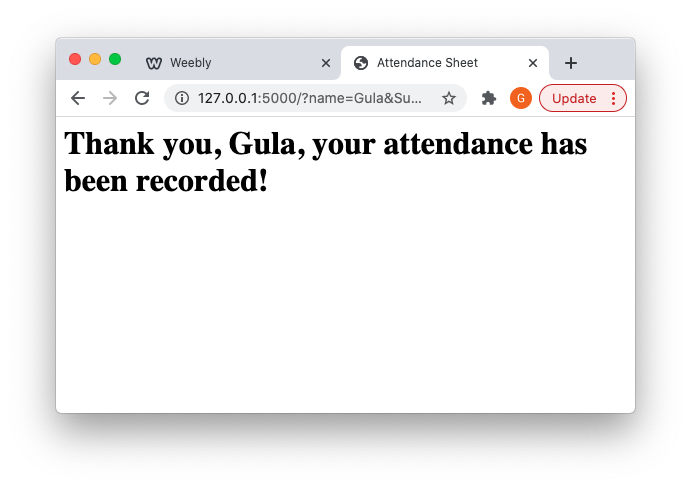
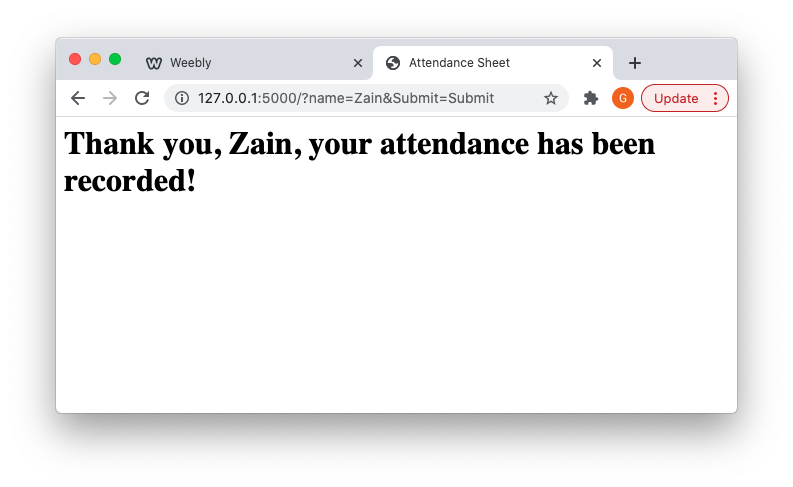
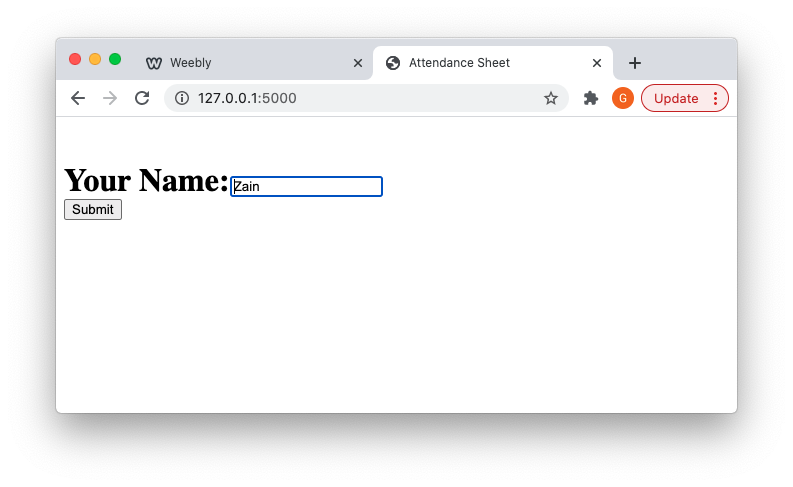
And this is what we get:
Picture
Picture
Picture
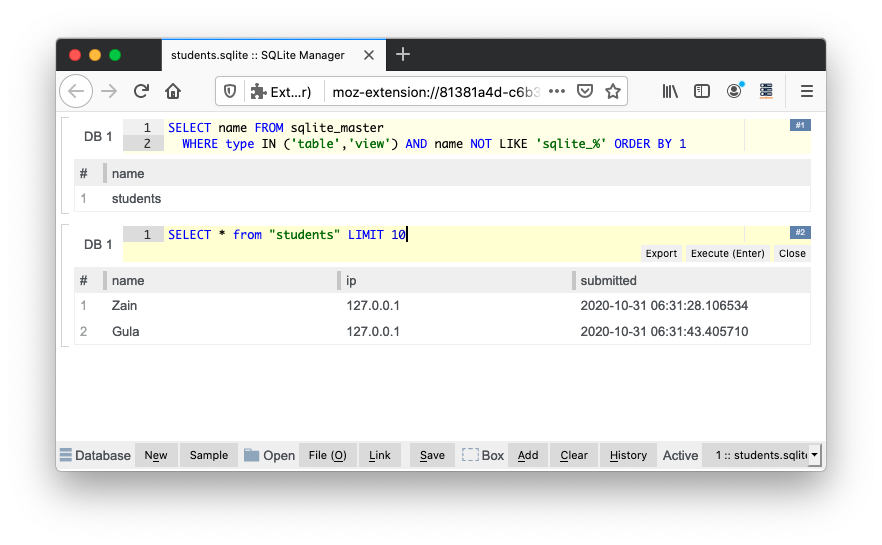
Now we store it to the DB:
from flask import Flask,request, abort
from flask import render_template

import sqlite3
from datetime import datetime

app=Flask(__name__)

@app.route('/')
def attendance():
    name = request.args.get('name', None)
    if name:
    	store_to_db(name=name, ip=request.remote_addr, time=datetime.now())
    return render_template('index.html', name=name)

def store_to_db(name=None, time=None, ip=None):
	conn = sqlite3.connect("students.sqlite")
	cursor = conn.cursor()
	cursor.execute("insert into students(name, ip, submitted) values(?, ?, ?)", (name, ip, time))
	conn.commit()
	conn.close()

app.run(debug = True)
Picture
Picture
Picture
Picture
Picture
  • Build an endpoint that will list all student attendance records in the DB
  • Build an endpoint that will list all  student attendance records in the DB organized by day
  • Home
  • Poems
  • Python
    • Python Interview Prep Notes for Students >
      • Merge Intervals Leetcode
      • Merge k Sorted Lists
    • Python Setup >
      • Pep 8 style guide
    • Lecture 1 - Basics
    • Lecture 2 - Loops, Lists >
      • Homework 2 Program 1 Step By Step
      • Homweork 2 Shuffle String Program
    • Lecture 3 - structures, packing, string functions >
      • Homework
      • Additional Exercises - you do not need to submit these
    • Lecture 4 - Dictionaries, Functions, Modules
    • Lecture 5 - functions, variable scope, modules >
      • Previous Exams
    • Lecture 6 - CLI, Files, Regex, pickle, shelve
    • Lecture 7 - capturing web content >
      • Processing XML data
    • Midterm Prep >
      • Programming assignment prep
    • Lecture 8 - Exceptions, Classes, Inheritance >
      • Exceptions Recording
      • Multiple Except Clauses Recording
      • Eating an Exception Recording
      • finally and else clause recordings
      • Exception Stack Trace Recording
      • exit() and CTRL+C
      • Class Variables Recording
      • Static Methods and Class Methods Recording
      • Inheritance Recordings
    • Section 9 - db, flask, pip >
      • Accessing Databases
      • HTTP Server
      • Web Applications
      • Finding and installing additional Libraries with pip
      • Web Services with Flask
      • Calling Web Services from Python
      • Placing your application on the web
    • Section 10 - flask, grpc, venv, docker >
      • Flask based Web Applications
      • gRPC
      • Packaging, Dependencies and Virtual Environments
      • Dockerized Python Application
    • Section 11 - Django, GUI >
      • Cross Site Scripting XSS and markupsafe
      • Django >
        • Cross Site Request Forgery CSRF
      • tkinter - frame and button
      • Toplevel
      • Frame
      • Mouse and Keyboard Events
      • Canvas
      • Menu
      • Radiobuttons and Checkboxes
      • Entry
      • ImageMagic
    • Lecture 12 - WebSockets, System Monitoring, PyGame >
      • Web Sockets
      • PyGame Platformer
    • Lecture 13 - Data Structure and Algorithms >
      • Arrays and Strings
      • Dictionaries
      • Linked Lists
      • Trees
      • Stack and Queue
      • Sets
      • Merge Sort
      • Coverage Reports
    • Lecture 14 - Subprocesses, Threads, Multiprocessing >
      • Graphs
      • Singleton Design Pattern
      • Subprocesses and Multithreading
      • Jupiter Notebooks
      • Pandas Operations
    • Extra >
      • Raspberry Pi
      • Raspberry PI home security
      • OpenCV and template matching
      • Compare SQLite DB's in Python
      • Natural Language Processing and nltk
      • Hackathon Projects
  • SaaS
    • Java Interview Prep Notes for Students
    • Setup >
      • SaaS and Cloud Computing
      • Eclipse set up
      • Building web application in Eclipse using Tomcat
    • Section2 >
      • Maven Intro
      • Set up a simple web app and deploy on Heroku
      • Add Jersey Dependencies
      • Dissecting our first REST service
    • Section3 >
      • Jackson intro
      • @POST, @PUT, @DELETE
      • Your Project
    • Section4 >
      • Rules of Injection
      • Root Resource, Subresource, Subresource Locator
      • @CONTEXT
    • Section 5 >
      • Heroku, Java, Jersey and Postgres
      • Music Store with Postgres
      • Working with Files
      • Storing files in Postgres
      • Homework
    • Section 6 >
      • Books Store with Mongo
      • Google APIs
      • Twitter APIs
      • Properties for a web application
      • Homework
    • Section 7 >
      • Jersey Client Famework
      • Java Jersey SalesForce and OAuth
      • Servlets and JSP
      • Data access examples
    • Section 8 >
      • MVC - Model View Controller
      • JSTL Core tags
      • Scopes
      • Building Services to work with forms
    • Section 9 >
      • Calling REST services with JQuery
      • Angular.js
    • Section 10 >
      • consuming SOAP services
      • Web Sockets
      • Websockets, continued
    • Section 11 - Software Development Methodologies, Testing, Performance and Security >
      • Software Development Methodologies
      • Testing, Performance and Security
    • Your Project
    • Previous Projects
    • Course Project Submission
    • SaaS Projects
    • Install Tomcat on Mac